Claude Code can connect to Figma through the Figma Model Context Protocol server, which turns Figma into a tool the agent can call. With the Pando skill loaded and the codebase in scope, a prompt in the terminal produces editable Pando components on the Figma canvas.
For a while the team was exploring Figma Make as a way to generate designs from prompts. It worked, but the output drifted from Pando more than we wanted, and the token efficiency was rough. Claude Code with the Figma MCP turned out to be a better fit, mostly because Claude can read the actual codebase alongside the Pando skill, so it is not guessing at token names or component props.
The workflow depends on three things working together. Claude Code reads the @pluralsight/react source directly, pulling real token names from the compiled CSS and using Code Connect mappings to understand how components are used in practice. The pando-design-system skill loads on top of that, adding component selection rules, WCAG 2.2 AA constraints, and Figma-specific failure modes per component. And the Pando UI Kit in Figma gives the agent real kit components to place rather than shapes it draws from scratch. Without the codebase it guesses tokens. Without the skill it guesses components. Without the kit it draws boxes.
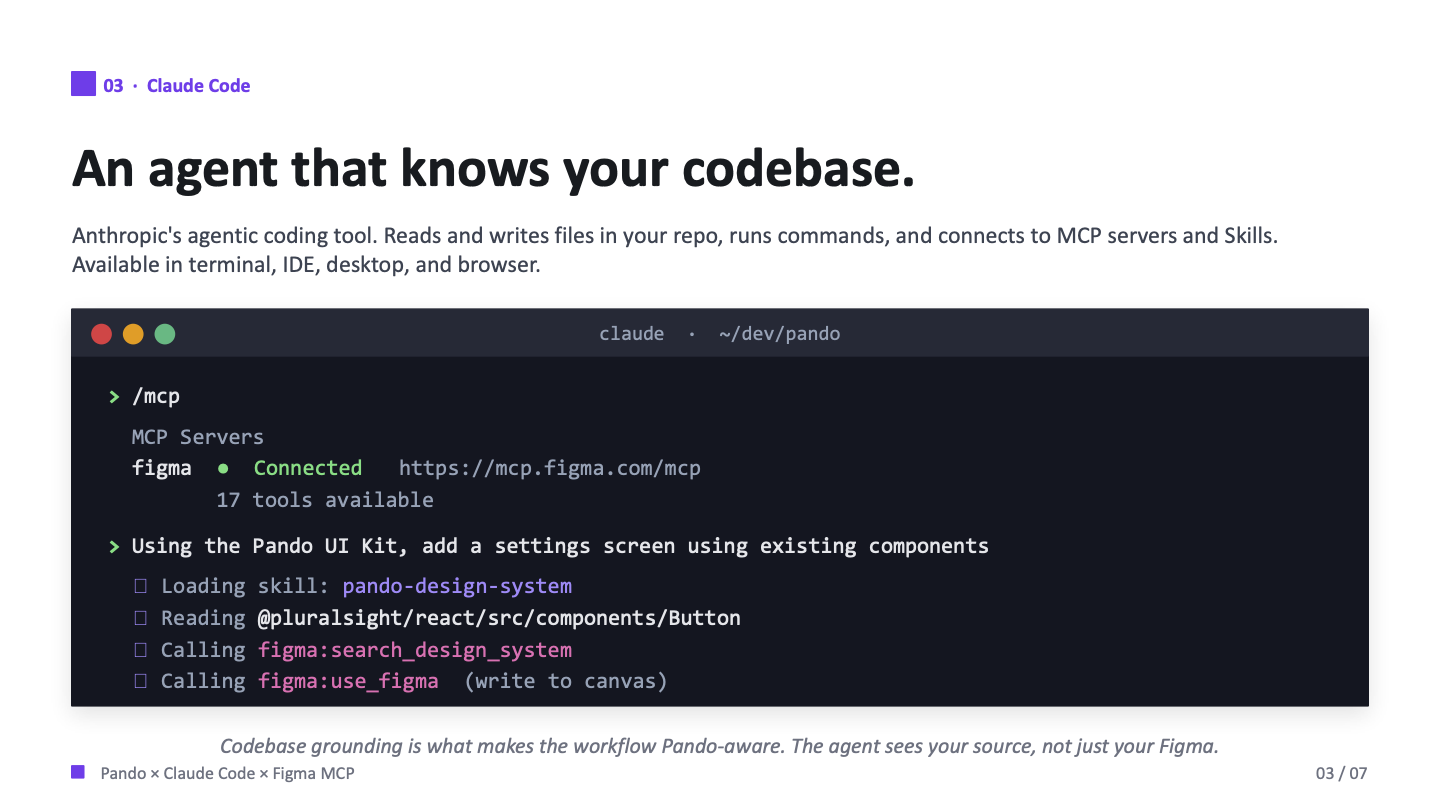
The output lands in Figma as native objects, frames with auto layout, real kit components, and variables for light and dark modes already set. It is editable in place rather than a flattened screenshot, which means the designer can take the draft and refine it in Figma rather than starting over.
In May I ran a Skillcraft session walking designers and PMs through the workflow, covering how to connect the MCP, how to write focused prompts, and what to expect from the output. One thing worth repeating from that session: focus a prompt on the specific element you need rather than the whole page, and you save time and tokens. The output still needs human review on every run, but with Pando and the skill in the loop it is a useful first draft.
It is beta tooling and it behaves like it. There is a 20kb response cap per call, so large changes have to be broken up. There is no image or asset support yet. And the agent is not deterministic, so the same prompt can give different results each time. As one colleague put it during the session, AI averages, it doesn’t define. Human review is the part that stays constant.
What makes this worth using, despite the beta caveats, is that the starting point is already Pando. The agent places components that actually exist, in the right structure, with variables already attached. That is a meaningful shift for anyone who has spent time cleaning up AI-generated designs that missed the system entirely.